Description
www.hossainemart.com
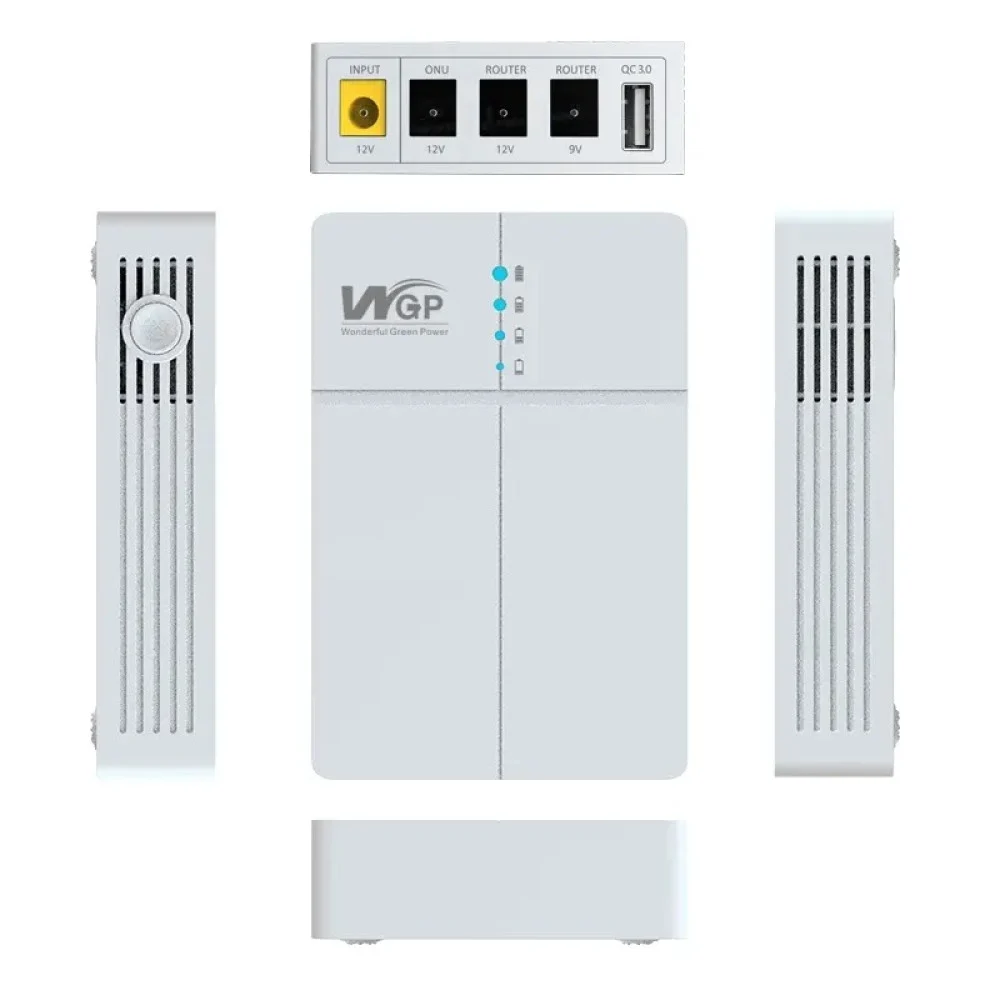
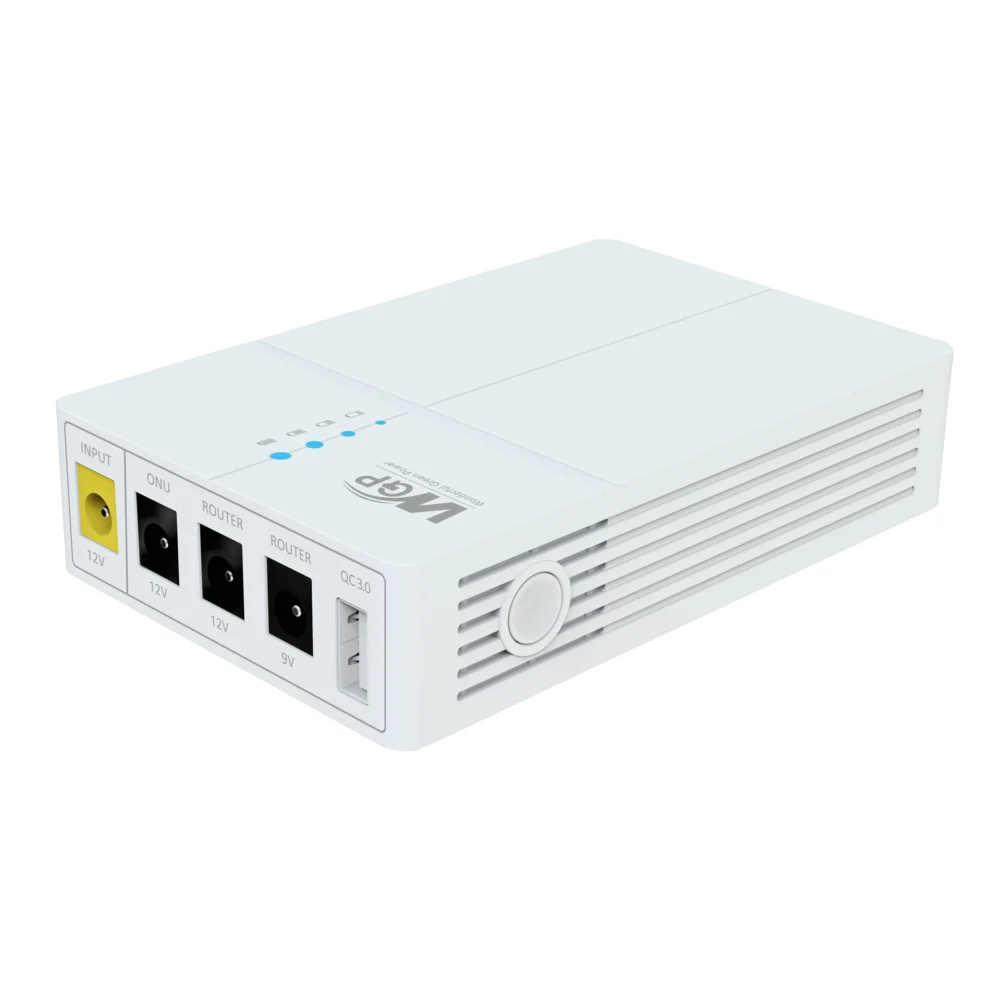
WGP Optima 302 10500mAh Mini UPS for Wifi Router
Engineered to provide seamless, uninterrupted power to your essential network devices so your online activities are never disrupted during power outages.
⚡
True UPS Functionality
Automatically and instantaneously switches to battery power during a failure with zero downtime or router rebooting.
🔋
10500mAh Lithium-ion Battery
Delivers extended backup times: 6-8 hours for a standard 12V 1A Wi-Fi router and 10-12 hours for a 9V 0.6A ONU.
🔌
Selectable Output Voltages
Features 9V DC and 12V DC options with multiple DC connectors for broad compatibility with popular routers and ONUs.
🛡️
Smart Protection Circuitry
Includes intelligent charging to prevent overcharge, over-discharge, short-circuit, overload, and electrical surges.
📦
Compact & Portable Design
Measures about 105mm x 70mm x 30mm and weighs 320g, offering a minimalist aesthetic that fits easily anywhere.
✨
Plug-and-Play Operation
Simple setup with clear LED indicators providing real-time status updates on charging, power, and battery levels.
Why Buy from www.hossainemart.com?
- Top quality and affordable power backup solutions for Bangladesh
- Best customer service and reliable support
- Fast nationwide delivery
- Guaranteed quality and authentic products
Technical Specifications
| Model |
WGP Optima 302 |
| Battery Type & Capacity |
Lithium-ion (Li-ion) | 10500mAh (3 x 3500mAh cells) |
| Input & Output Voltage |
Input: 12V DC, 2A (Max) | Output: Selectable 9V / 12V DC (Max Total: 12W) |
| Typical Backup Time |
6-8 hours (12V 1A Router) / 10-12 hours (9V 0.6A ONU) |
| Charging Time |
Approximately 3-4 hours (from empty to full) |
| Protections |
Overcharge, Over-discharge, Short Circuit, Overload, Surge Protection |
| Dimensions & Weight |
105mm x 70mm x 30mm | Approximately 320g |
| Warranty |
12 Months Service Warranty (except Battery) |
How to Use Your WGP Optima 302
1. Charge: Connect your router’s original 12V DC adapter to the “DC IN” port.
2. Select Voltage: Set the switch on the side to match your router’s requirement (9V or 12V).
3. Connect: Use the provided DC cable to link the “DC OUT” port to your router or ONU power input.

Reviews
There are no reviews yet.